Reference No: R2-15890
Version No: 06.01.07-00
Details
Support to print Parent Invoice Exchange Rate in Credit/Debit/Summary Credit/Debit Invoices in Invoice Print Based On Posting Currency Instead Of Site Currency.
|
CID |
Description |
Invoice Types |
|
1282 |
Print Exchange Rate as Inverse of Posting Currency => Transaction Currency in the Invoice Prints for the date set on the ‘Exchange Rate Date’ UDF of the Parent Invoice of the Credit/Debit being printed. |
Credit/Debit/Summary Credit/Summary Debit |
Note:
This is supported only when Multi-currency =TRUE in the Configuration module.
The calculation for Exchange Rate to display in Invoice print is as per the formula: 1/(Posting Currency => Transaction Currency).
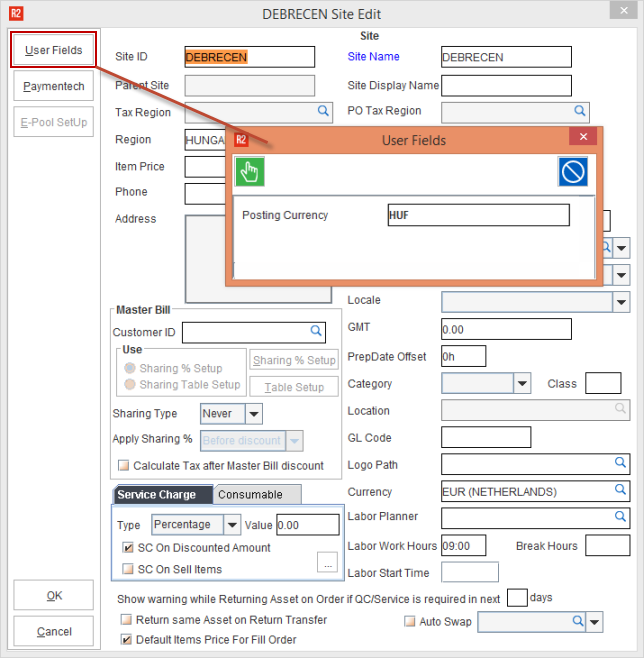
Posting Currency is Site UDF.
An Invoice must be posted which has Exchange Rate Date value entered.
Form setup in the Maintenance Module.
Ensure that Posting Currency has been defined in Maintenance Module.
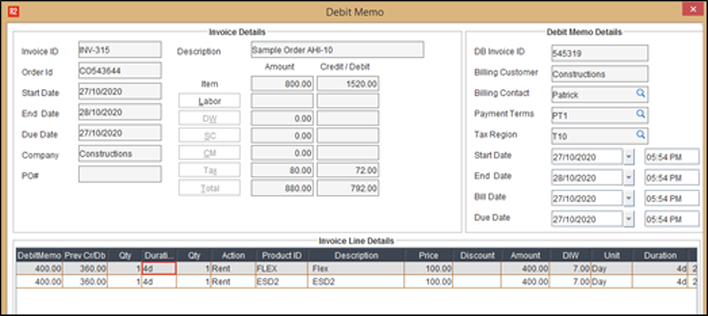
Open the Posted Invoice and create Credit/Debit/Summary Credit/Summary Debit Invoice.
Note:
Make sure that Parent Invoice has Exchange Rate Date UDF value entered. If the Parent Invoice Exchange Rate Date UDF is blank, then the child Invoice will also be blank.
Create a batch and post the Credit/Debit/Summary Credit/Summary Debit Invoice.
In Accounts module, Go to View > Invoices.
Search the Invoice and click Print button.
Select the form and then click the Print button.
Open the Invoice print and it shows the Parent Exchange Rate.
